Black circular shape with a radial blue gradient background fading from dark to light.

Sound Forge 2026

Flexible, powerful, and essential to every audio production
Buy Now
Try for Free

The professional’s choice for good reason
With tools to perform everything from the simplest task to the most detailed surgical work, Sound Forge plays an indispensable role in any audio production. You get the job done simply and quickly. No matter what other software you use, you need Sound Forge for the best results possible.

Audio editing

Noise Reduction

Recording

Audio editing

Noise Reduction

Recording

Previous
Next

Built for serious audio editing

From sound design to broadcast and FX work to mastering, Sound Forge delivers ultimate precision and control over your audio. Fast, nimble, and accurate, if it needs to be done, Sound Forge does it.
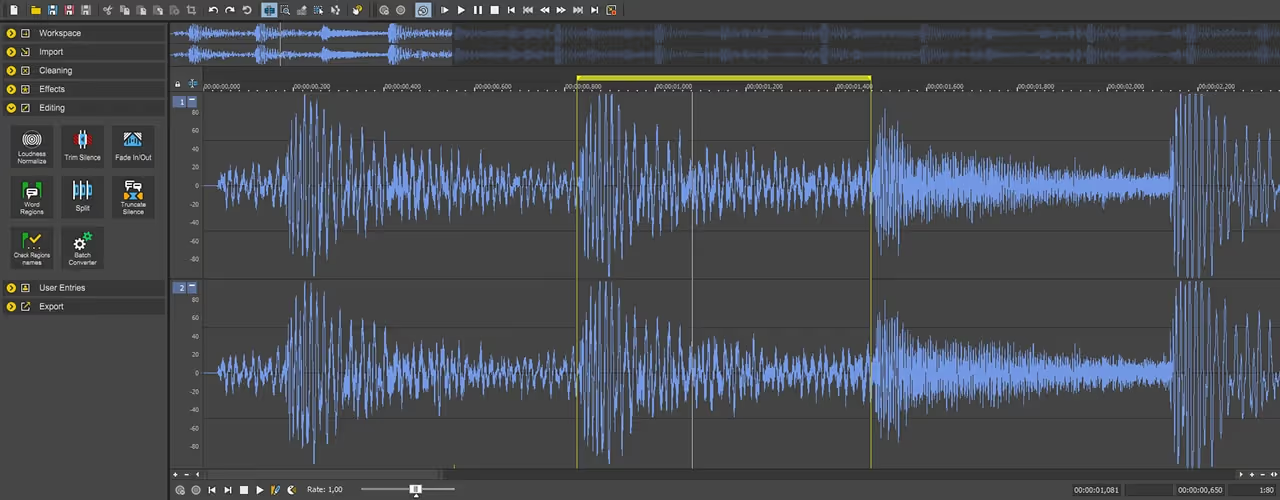
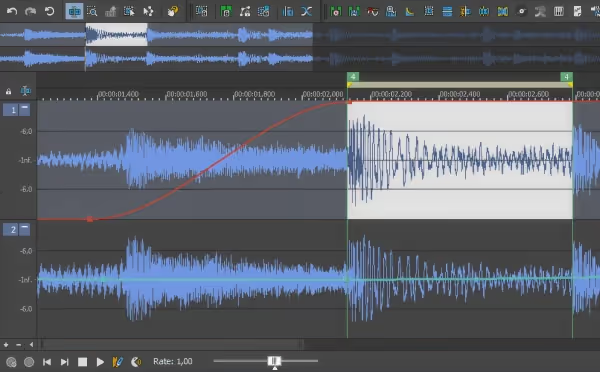
Audio editing software interface showing waveform with selected section highlighted and various editing tools on the left panel.
Edit audio like a text doc

Edit audio like a text doc

Rearrange audio like you rearrange words in a text document. Cut, copy, paste, and delete audio with editing techniques you already know or drill deep into the audio waveform for the most detailed edits possible.
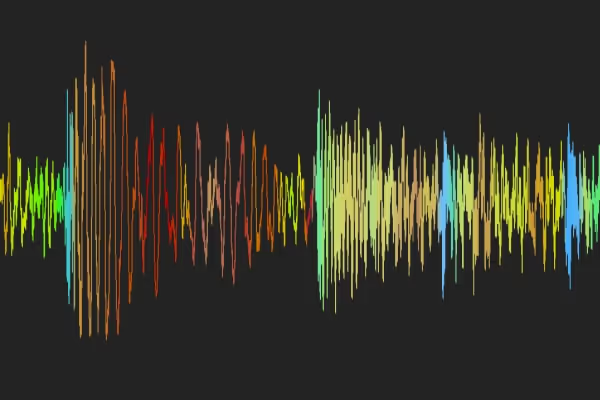
Colorful audio waveform visualization on a black background showing varying frequencies and amplitudes.

Visualize your sound with WaveColor

View pitch, character, and saturation levels at a glance. WaveColor adds color coding to waveforms so you can better understand your audio and edit with more speed and precision.

Work fast with definable Instant Actions

Access your frequently used functions in a single click. Fully control which tools or functions you want instant access to.

Save time with expert multitasking

Sound Forge can operate in the background for things like rendering so you can continue working on something else.

Boost your speed with the Batch Converter

Apply effects and automatically process multiple files at once so you don’t have to waste time waiting on repetitive tasks.
Noise Reduction

“Fix it in post” is not a meme. It’s reality.
Sometimes it seems like the world around you conspires to ruin your entire project. Noisy environments mean you can’t always get the perfect recording, but you can always fix it in Sound Forge.
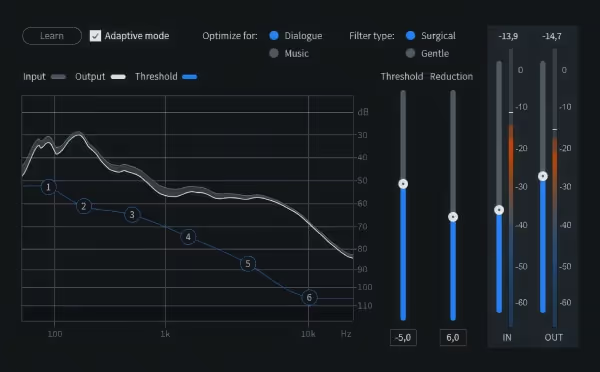
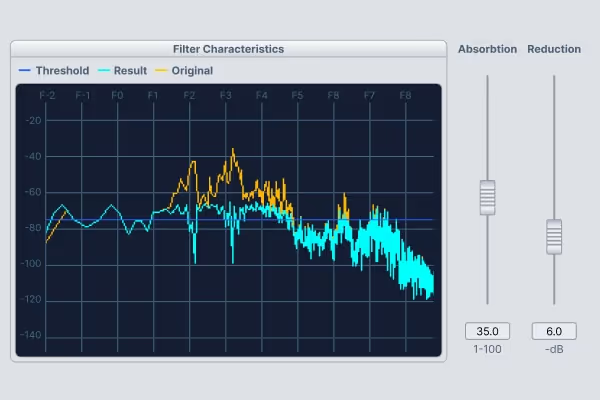
Sound Forge filter characteristics graph showing frequency response with threshold, result, and original data lines alongside absorption and reduction slider controls.
DeHisser

Remove distracting hiss and hum

Analyze ambient machine noise, equipment hum, unexplainable hiss, and more. Then reduce or remove it for clear recordings.
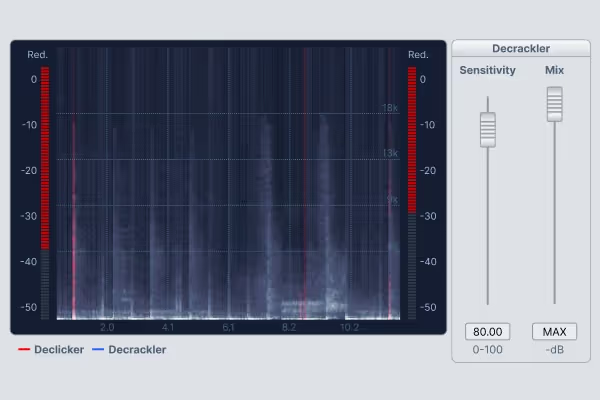
Audio software interface showing a frequency spectrum with red and blue lines for Declicker and Decrackler, and sliders for Decrackler sensitivity and mix settings.
DeClicker/DeCrackler

Clean up clicks and pops

Quickly remove distracting clicks and pops, and clean up low-level crackling or noise. Fast, precise, and easy to use.
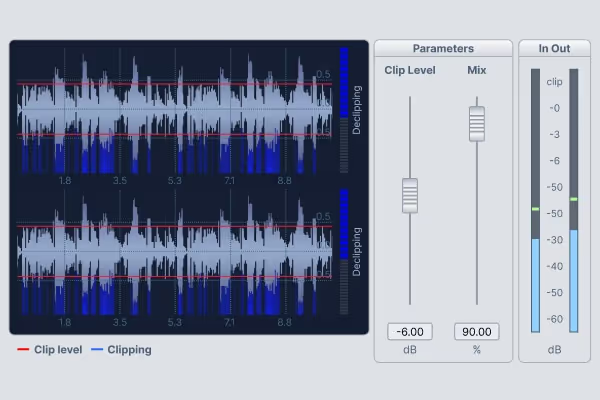
Audio waveform display with clipping indicators, sliders for clip level and mix settings, and an in/out volume meter.
DeClipper

Repair distorted audio

Don’t let digital or analog clipping that causes harsh peaks or overloaded levels ruin your recordings. Fix them quickly.
Recording

Record pristine audio

Break out your best microphones to record anything from a single-channel narration or voiceover to an event with multiple microphones and other sound sources. Clean recordings at the highest quality.
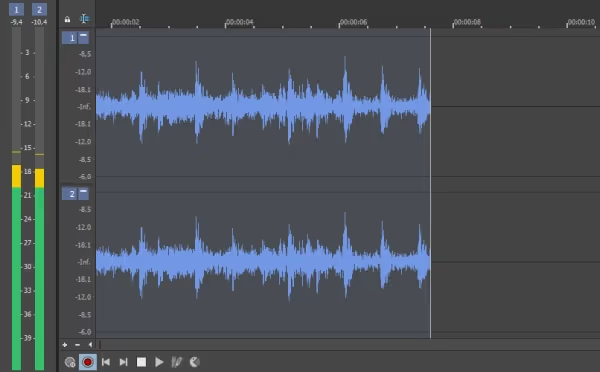
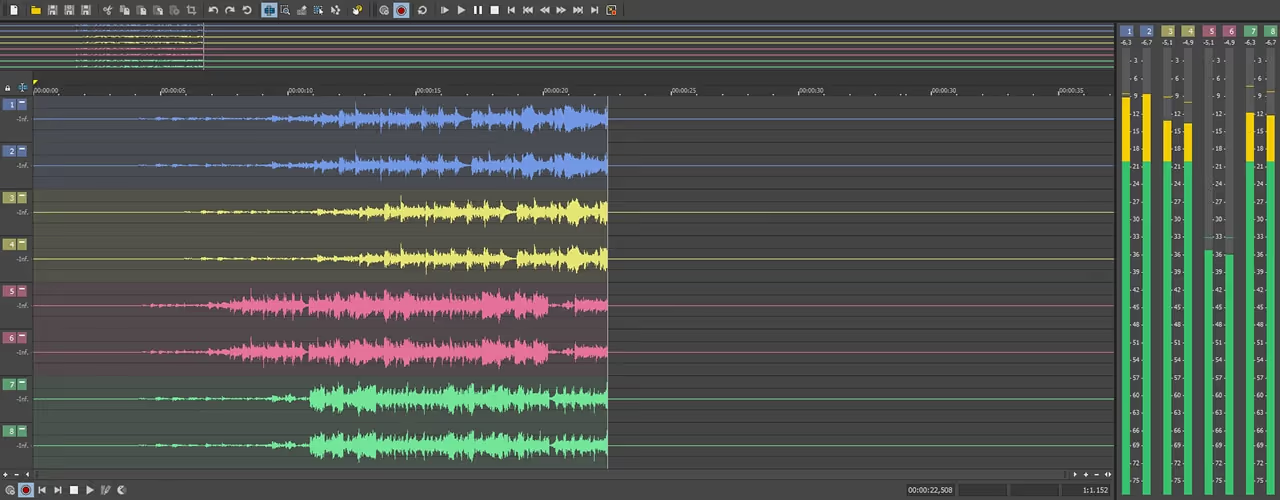
Digital audio workstation interface showing eight color-coded audio tracks with waveforms and volume meters on the right side.

Professional recording workflow

Record up to 32 audio channels at once with full control over input routing. Monitor everything with highly accurate audio meters. Choose high bit depths and sample rates for maximum quality, or lower settings to save hard drive space.

Automatic record start

When you don’t have enough hands, let Sound Forge start recording automatically. Trigger recording based on a definable input volume threshold or a specific time and set a prerecord buffer so that you never miss a second of critical audio.
Mastering

Transform your sound from good to great
No project produced at the highest level leaves the studio without the mastering step. The changes you make in this stage don’t just affect what the listener hears, they affect what the listener feels. Sound Forge gives you the easily accessible mastering tools and power for great mastering.
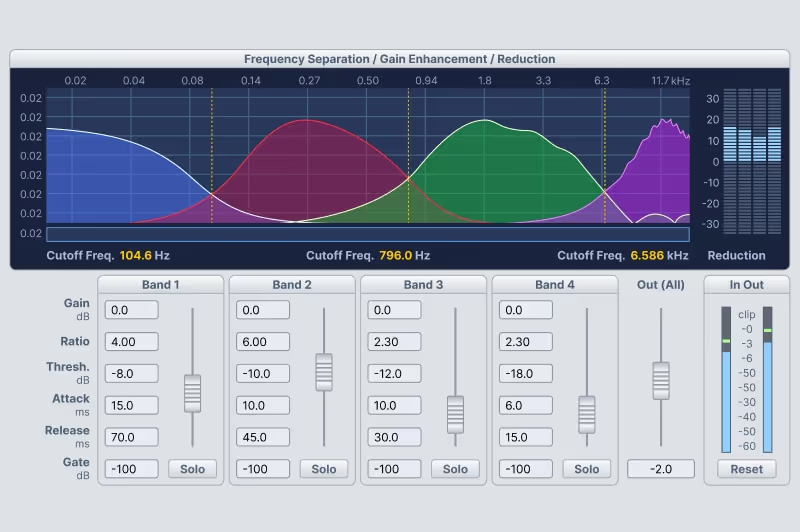
Audio plugin interface showing frequency separation with four bands, each having adjustable gain, ratio, threshold, attack, release, and gate settings, plus output meter and reduction meter.
Wave Hammer 2.0

Add punch and power to your audio

Produce audio that your audience feels as much as hears. Tighten the audio dynamic range to increase overall perceived volume and power in your video with the Wave Hammer.
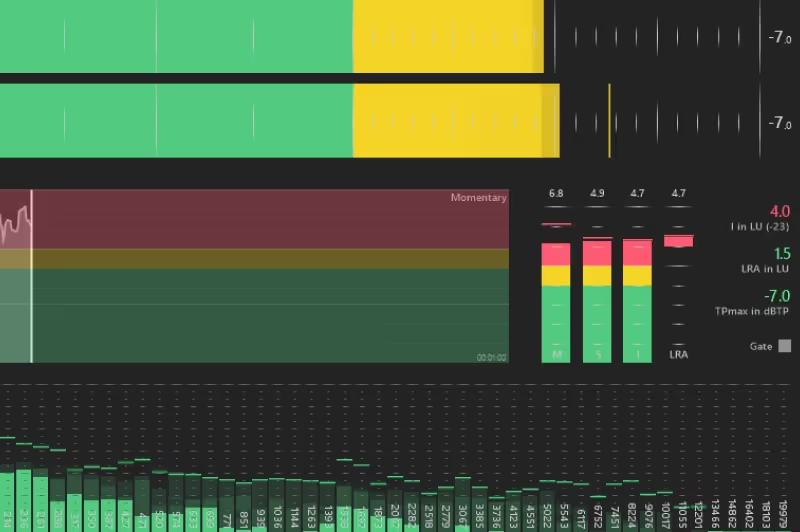
Audio mixing software interface showing volume levels, frequency bars, and detailed sound meters in green, yellow, and red.
Master your audio to legal requirements

Master your soundtrack to legal requirements

Ensure CALM (Commercial Advertisement Loudness Mitigation) Act compliance with precise loudness metering and stats for an accurate view of an audio signal's dynamic range.

Frequently Asked Questions

Just about anything and everything you can imagine that you need to do with audio. Sound Forge makes a great high-quality recording tool that supports both manual recording and automatic record-start modes for those times you can’t be there. Then edit audio, add audio effects, master audio, and much more. Think about it as a multitool for audio. If you need to do it to audio, you can use Sound Forge.

You can download and use a fully functional version of Sound Forge for 15 days at no charge in order to fully evaluate the software. At the end of this free product trial period, you must purchase or subscribe to continue using the application.

While Sound Forge has an incredibly deep tool set, it also offers a logical, straight-forward interface and workflow that make it easy to learn. Beginners can be up and running nearly instantly. Still, there’s a lifetime of learning (and fun!) ahead of you as you dig deeper and deeper.

No. Sound Forge intentionally does not function as a digital audio workstation (DAW). It has been designed as a specialist tool for working on a single audio file in ways that the general editing tool set of the typical DAW simply cannot match. Sound Forge works perfectly as a critical tool that integrates nicely with the DAW of your choice as well as any video editing software you use.